StepZer Help

A quick guide to the main screens in StepZer, based on the latest app screenshots.

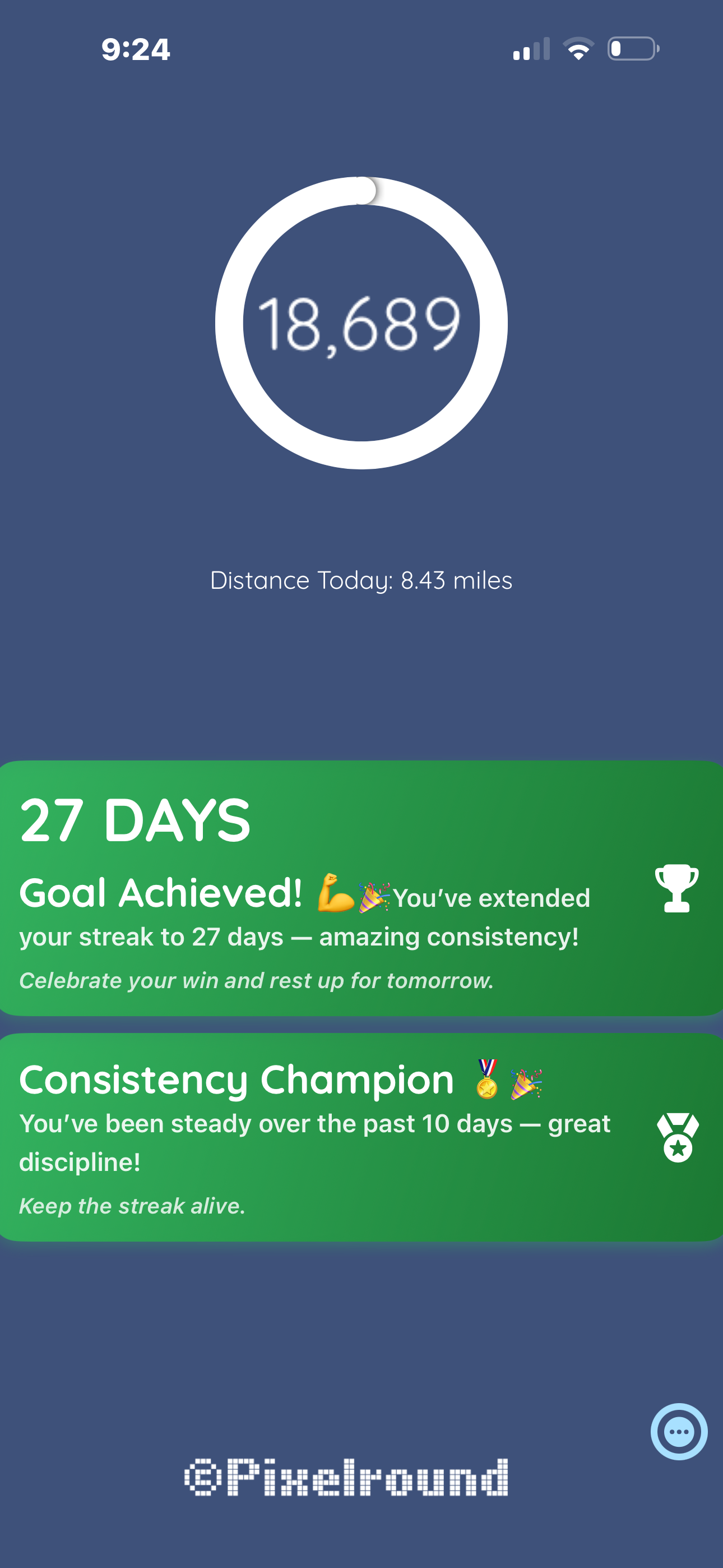
Daily screen with progress ring, step count, and achievement cards.

Daily progress and streaks

The main screen centers on your progress ring and total steps for the day, with distance shown beneath.

  • The ring and number show your current step count.
  • Distance for today appears below the ring.
  • Achievement cards celebrate streaks and consistency with quick highlights.
History insights

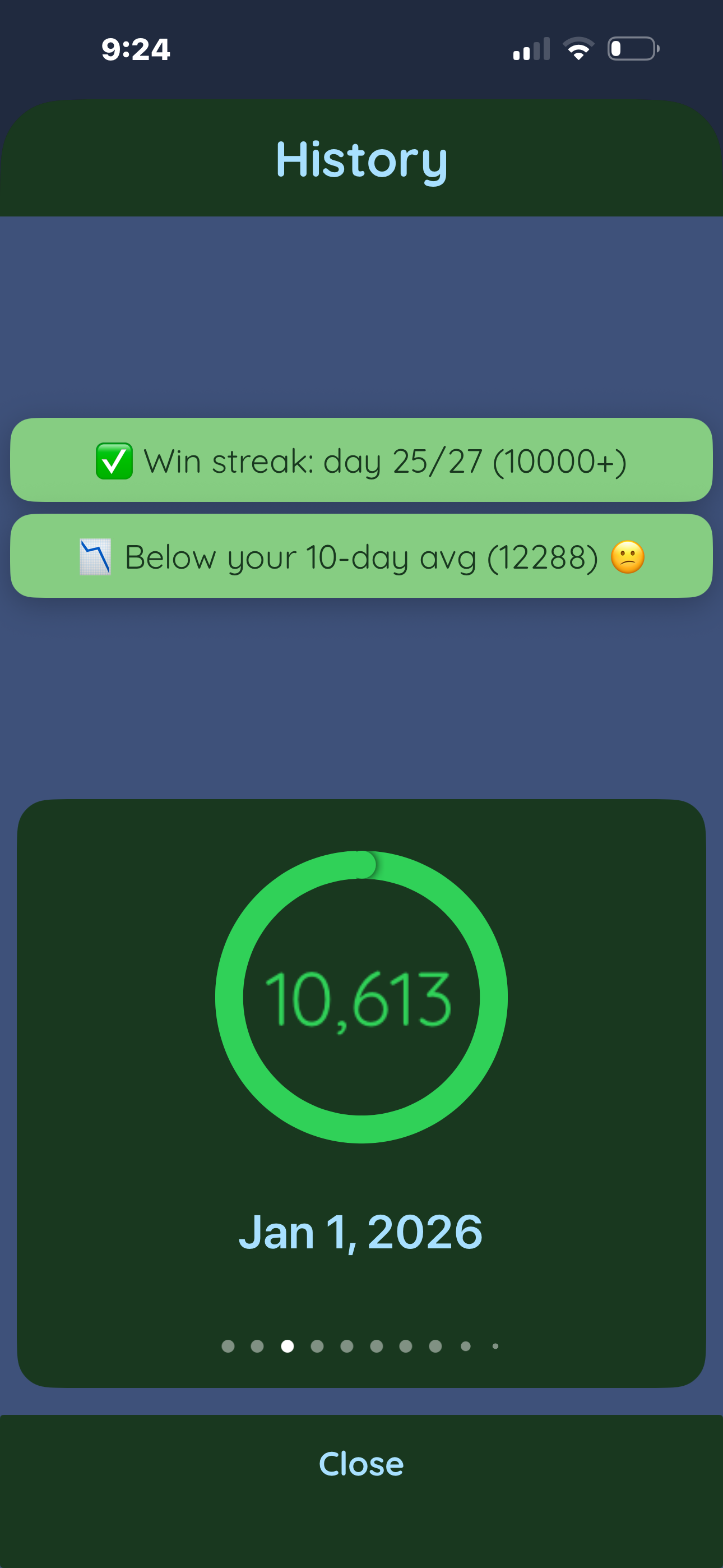
The History view summarizes recent performance and lets you browse past days.

Streak and average callouts

At the top, badges highlight your current streak status and how today compares to your 10-day average.

Day-by-day browsing

The card shows a specific date with its step total and progress ring; use the dots to move between days.

Quick close

Tap the Close button at the bottom to return to the main view.

History screen with streak badges and a dated progress card.

Settings and goals

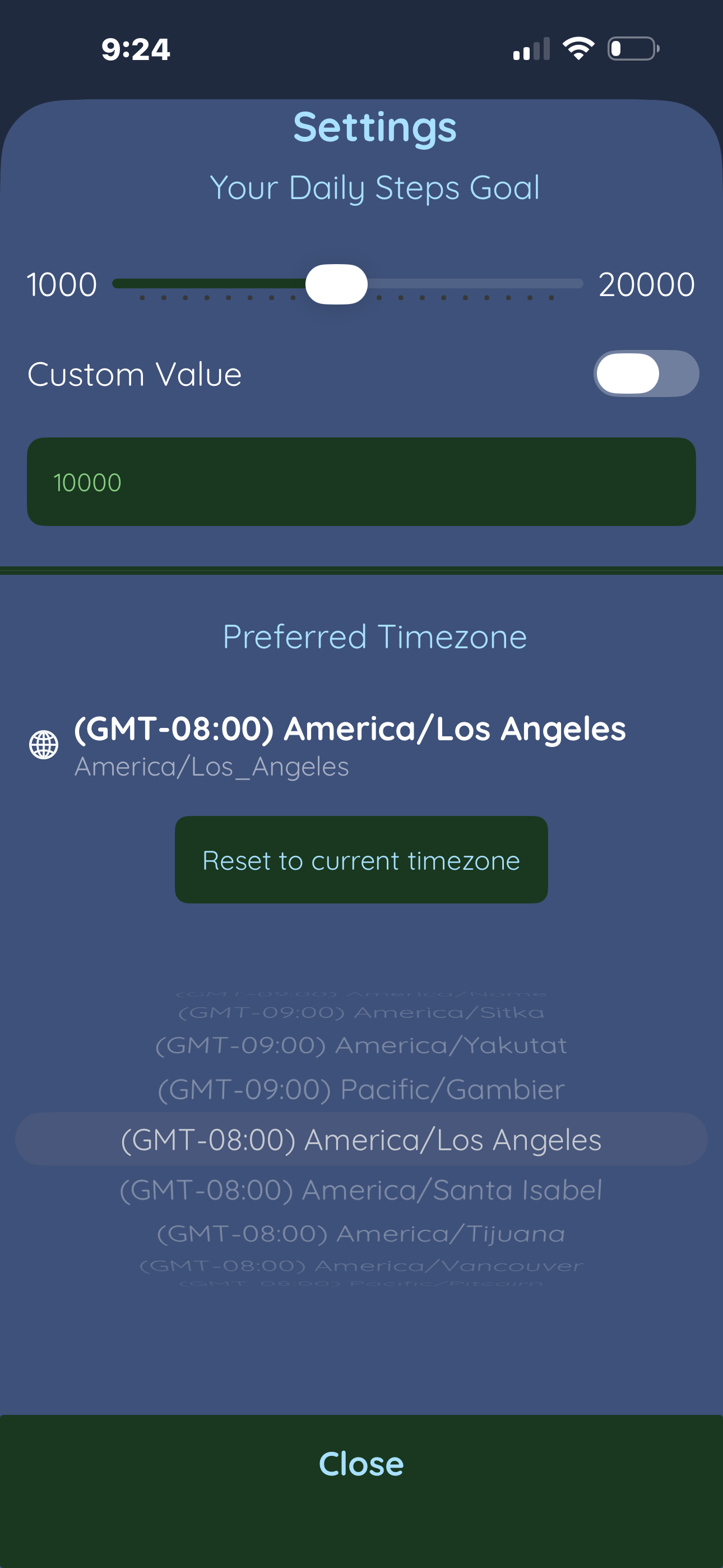
Control your daily goal and time zone from the Settings screen.

Daily goal slider

Drag the slider to set a standard goal between 1,000 and 20,000 steps.

Custom value toggle

Turn on Custom Value to type an exact goal instead of using the slider.

Preferred time zone

Pick your time zone or reset to the current one to keep day boundaries accurate.

Settings screen with daily goal slider, custom value toggle, and timezone picker.